
Good convenience store checkout cable management starts before the counter is ordered: map every device, confirm a protected route to its connections, and prove that the equipment can be replaced without dismantling the working counter. A tidy customer view is only one part of the job. Cashiers also need clear working space, technicians need reachable connections, and cleaning should not pull on plugs. This guide explains how to review the furniture and equipment interfaces, test a sample, and record an agreed handover. Electrical design, fixed wiring and electrical repairs belong to qualified personnel working to local requirements and equipment instructions.
Start with a device map rather than a bag of cable ties
List the equipment that will actually be installed at this checkout. Depending on the operation, that may include a register screen, receipt printer, barcode scanner, payment terminal, cash drawer, network connection and a customer display. Treat these as separate items even when one supplier sells them as a package. Their connectors, replacement procedures and daily movements can differ.
For each item, record its location, connection destination, supplied cable and the person responsible for installation. Ask the equipment provider to identify which connections are power, which are data and which are proprietary. A drawer cable that resembles a network cable should not be identified by appearance alone. The furniture supplier needs the connection requirements; the cashier should not have to discover them during opening week.
Use a sketch with two views: the customer-facing worktop and the staff side underneath it. Mark where stock, shopping bags and cleaning supplies will be stored. A cable route that looks clear on an empty drawing may become inaccessible after the drawer, printer shelf and bag rack are added. Check those competing uses before approving the furniture layout.
Coordinate the checkout location with the wider مخطط أرضي فعال للمتجر الصغير, but keep this review specific. Its purpose is to establish connection access and replacement space, rather than redesign the whole shop.
Specify the furniture interface, not just a concealed appearance
Ask for a drawing that shows the proposed openings, accessible compartments, supports and removable covers. Do not approve an unspecified note saying “cable management included.” Instead, agree what a technician will open, what tools are needed and whether the complete connector can pass through each opening. A plug may be substantially larger than the flexible cable behind it.
Inspect every furniture edge a cable would contact. Ask the supplier and installer to agree appropriate edge protection and support, taking account of the actual cable and the equipment instructions. Do not prescribe a universal opening diameter, bend radius or support spacing without that information. Avoid placing a route where a hinge, drawer slide or closing door can squeeze it.
A furniture opening is also different from permission to run a flexible power cord through a building wall or floor. For U.S. general-industry workplaces, OSHA’s wiring-method requirements include restrictions on flexible-cord uses, including substitution for fixed wiring. Have the electrician resolve the building-to-counter supply arrangement; moving a grommet on a cabinet drawing does not resolve that question.
When reviewing a retail service counter, request separate confirmation of furniture details and electrical work. Record which party supplies each component and who checks the finished installation. Do not assume the counter manufacturer supplies an approved electrical distribution system unless the quotation and supporting documentation explicitly establish it.
Give moving equipment and maintenance separate space
A payment terminal may turn toward a customer, a scanner may be lifted repeatedly and a cash drawer opens during transactions. Test these movements with the proposed cable and its actual connections. Check the whole movement, including the return to the resting position. A route should not pull a connector tight at one end of that movement or leave a loop hanging into a walkway at the other.
Distinguish working movement from maintenance movement. A terminal that rotates comfortably may still be impossible to remove from its bracket without disconnecting another device. Likewise, a printer that fits on a shelf can be awkward to replace if its plug is trapped behind a fixed divider. Ask the equipment provider to demonstrate each replacement action with the counter sample.
Provide enough accessible slack for the agreed service procedure, following equipment and cable instructions. Do not select an arbitrary universal loop length. Keep spare length supported in the agreed compartment, clear of moving parts and ventilation openings. Where equipment has a specified cable-retention accessory, confirm its fit rather than assuming an adhesive clip serves the same function.
Check the access position for the person doing the job. Can the technician see the connection, identify the device and reach it without moving merchandise into the customer route? Consider how the compartment will be used after opening, when shelves contain real supplies rather than remaining empty for the approval photograph.
Use a sample review that produces a clear decision
The following is a suggested procurement checklist, not a certification test or a set of electrical design limits. Review it with the furniture maker, equipment provider and responsible installer. Agree what must be demonstrated on a sample and which site-specific items will be checked after installation.
| مراجعة العنصر | Practical demonstration | الأدلة التي يجب الاحتفاظ بها |
|---|---|---|
| Connector passage | Pass the complete proposed connector through the opening without forcing it or modifying the cable. | Equipment model, connector photograph and approved opening detail. |
| Normal equipment movement | Move the terminal, scanner and drawer through their intended operating positions. | Photographs at the limits of movement and any interference noted. |
| Door and drawer closure | Close furniture doors and drawers with the proposed route in place. | A view showing that cables remain outside the closing mechanism. |
| Replacement access | Demonstrate removal and refitting of the printer or terminal using the agreed safe service procedure. | Access sequence, required tools and responsible service contact. |
| Cleaning access | Show how staff will reach the surrounding surfaces without pulling cables or wetting connections. | Cleaning instructions and a photograph of the clear compartment. |
| Site supply interface | Have the qualified installer review the connection between the building supply and furniture. | Installer’s agreed arrangement and outstanding site actions. |
When a check fails, describe the interference precisely. For example, “the printer connector cannot pass through the proposed rear opening” is useful; “wiring needs improvement” is not. Request a revised detail and repeat the affected demonstration before approving production. Keep the accepted revision with the equipment list so a later change of printer does not silently invalidate the decision.
Review customer-side devices as separate service items
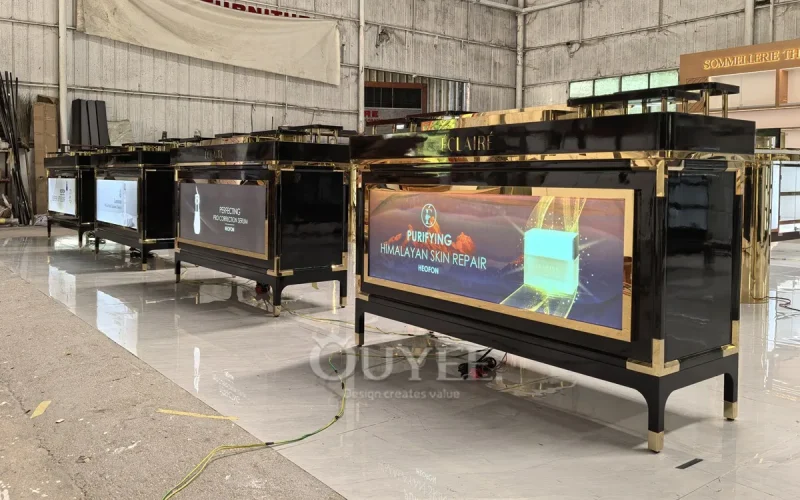
Front-facing screens and illuminated signs can introduce connections away from the register. Include them in the device map even if they arrive fitted to the furniture. Ask how their power supplies, connectors and controls will be reached, and whether display replacement requires access from the customer side, staff side or underneath the unit.
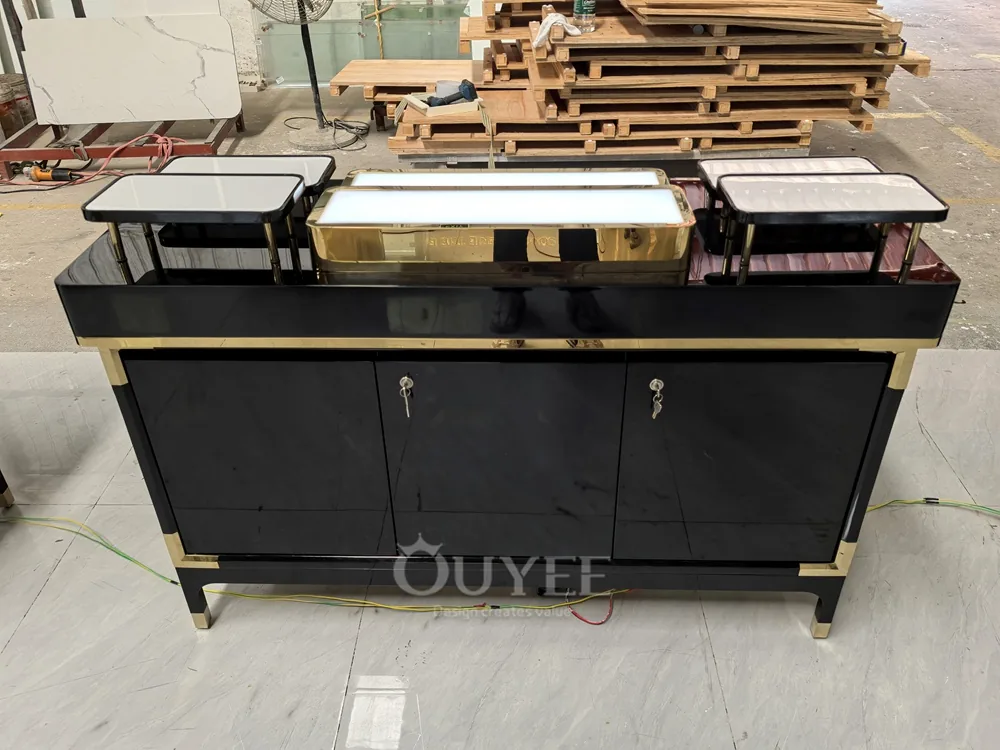
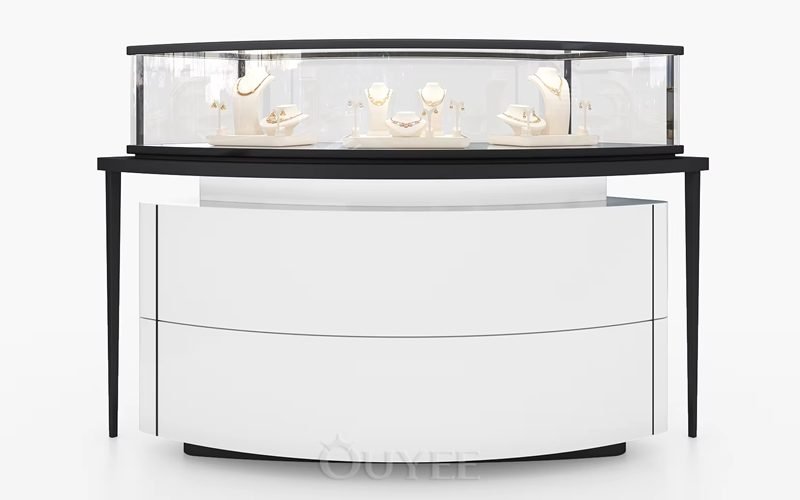
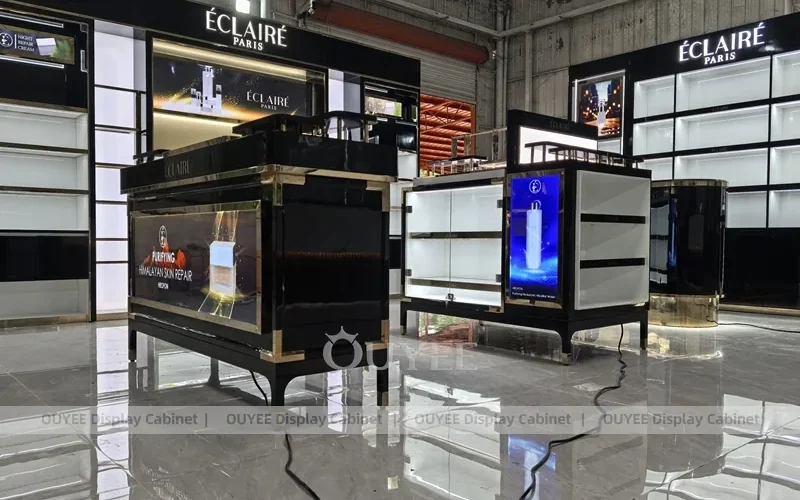
ال black digital-front retail counter shown here is a physical product reference for that discussion. Its photographs show a front display and cabinet exterior. They do not establish the internal wiring arrangement, the suitability of an electrical component for your store or an included installation service. Obtain the actual project drawings and relevant equipment documentation.

Make the final review on the installed counter, not only on the factory photograph. Confirm that nearby shelves, branding panels and adjacent units have not blocked the approved access point. If floor conditions alter the furniture position, resolve the effect on connection reach as part of the site survey for retail fixtures. Do not compensate for a changed location by stretching a supplied lead.
Separate routine housekeeping from electrical repair
Give staff a simple reporting route for a loose connection, visible damage or repeated equipment interruption. They should know who can isolate the affected device safely under the store procedure and who provides service. Avoid making fault-finding dependent on tugging unidentified cables or repeatedly reconnecting equipment until it works.
OSHA’s rules for use of equipment address inspection and handling of cord-connected equipment. They require damaged items that may expose employees to injury to be removed from service until made safe, and reserve electrical testing for qualified persons. The inspection provision also distinguishes equipment that remains connected and protected from damage; it should not be simplified into an unsupported claim that every fixed connection must be unplugged daily.
For routine organization, label the device and both connection ends in a way the service team can maintain. Keep a small route diagram inside the service record rather than on a loose sheet that disappears during cleaning. Any replacement should update the record, including a change of power supply or a new destination port.
Include the checkout in the shop’s wider store safety review. Check that replenishment and waste handling have not turned an accessible service space into storage. If staff have to move boxes before reaching a connection, address the storage arrangement instead of simply adding more cable ties.
Do not turn temporary extension leads into the permanent plan
When the outlet is too far away, pause the furniture approval and involve the electrician. An extension lead is not evidence that the supply arrangement is resolved. The Electrical Safety Foundation International’s extension-cord video below explains the temporary nature of extension cords, checking for damage and avoiding chained extension leads. Its video is a general safety reminder; it does not specify a compliant commercial checkout installation.
Video: Extension Cord Safety: Electrical Safety, Electrical Safety Foundation International. Watch the original video on YouTube. Apply the store’s local requirements and the qualified installer’s design rather than transferring household examples into a commercial specification.
Keep an approval record that survives the first equipment upgrade
Before handover, collect the accepted furniture drawing, final device list, route photographs and installation responsibilities. Record unresolved items explicitly. A closed cabinet door or a clean front view should never be the only evidence of acceptance. The practical question is whether the agreed equipment can operate, be inspected and be replaced using the approved arrangement.
Set a change rule with the store manager: a different printer, payment terminal or screen triggers another fit and connection review before purchase. Do not assume a new device is interchangeable because its outer dimensions look similar. This small check keeps convenience store checkout cable management useful over the counter’s working life, rather than turning it into a one-time opening-day tidy-up.
الأسئلة الشائعة
What should I send the counter manufacturer before ordering?
Send the actual device list, worktop and staff-side layouts, connector information from the equipment provider, and the proposed site supply location. Ask for a drawing that shows access, openings and responsibilities, then approve it against a practical sample demonstration.
Is a cable hole enough to make checkout equipment easy to replace?
No. Confirm that the complete connector passes through it, the connection is reachable and the device can be removed without trapping its lead. Doors, drawers, brackets and stored supplies must be included in that check.
How much spare cable should a checkout counter have?
There is no single suitable length for every device. Use the equipment and cable instructions, demonstrate normal movement and the agreed replacement procedure, and support any spare length clear of moving parts and ventilation openings.
Can the furniture supplier decide where the electrical outlets go?
The supplier can coordinate cabinet access and propose furniture openings. A qualified electrician must resolve the electrical supply and applicable local requirements. Record the boundary between furniture work, equipment installation and fixed electrical work before production.
Can I judge the finished cable arrangement from a product photograph?
A photograph can establish visible cabinet features, but it may not show internal supports, connections or service access. Request project drawings, equipment documentation and an installed demonstration. Workshop cables and a closed cabinet are not proof of a finished installation.









 Arabic
 English
 German
 French
 Spanish
 Italian
 Russian
 Turkish
 Portuguese
 Japanese